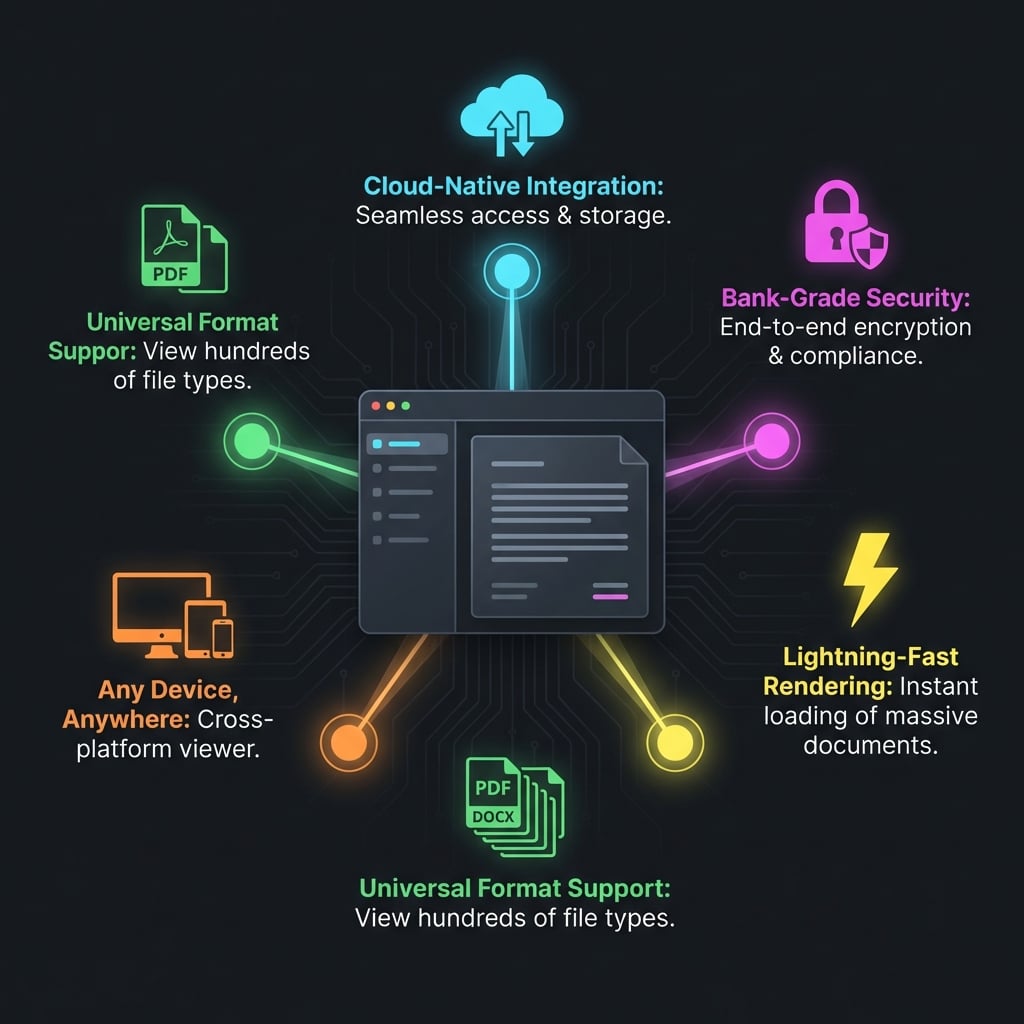
Top 5 Features of Doconut Viewer for Enterprise
In the rigorous world of enterprise software, not all components are created equal. When selecting a document viewer for a large-scale organization, the requirements go far beyond simply "opening a file." Performance, security, scalability, and versatility become non-negotiable attributes. An enterprise solution must handle thousands of concurrent users, support a dizzying array of legacy and modern file formats, and enforce strict security protocols—all while delivering a buttery-smooth user experience.
Enterprise requirements for document viewing are demanding, and Doconut meets these challenges head-on. As a leading .NET document viewer library, Doconut has evolved to become the preferred choice for Fortune 500 companies, government agencies, and global financial institutions. In this post, we will dive deep into the top 5 features that distinguish Doconut as an enterprise-grade solution and why they matter for your business.
1. Universal Format Support
In a large enterprise, standardization is a myth. You will encounter Word documents from HR, Excel spreadsheets from Finance, PowerPoint presentations from Sales, CAD drawings from Engineering, and TIF images from archival scans. Expecting every user to have the native application (Word, AutoCAD, Photoshop) installed to view these files is impractical and prohibitively expensive.
Doconut solves this with Universal Format Support. It acts as a "Rosetta Stone" for documents, capable of rendering a vast library of file types into a unified web-friendly format.
Why This Matters for Enterprise:
- Cost Reduction: You significantly reduce licensing costs. There is no need to buy an AutoCAD license for a project manager who just needs to check a drawing, or a Microsoft Office license for a temporary contractor. Doconut handles the rendering centrally.
- Reduced Support Tickets: "I can't open this file" is one of the most common IT support tickets. With Doconut, if the browser works, the document works.
- Legacy Compatibility: Enterprises often have archives of files in formats that are effectively obsolete or rare (e.g., old Lotus Notes files, WordPerfect, or specialized medical imaging formats). Doconut's broad format support ensures these archives remain accessible without keeping legacy hardware or software alive.
Doconut supports:
- Office Formats: DOC, DOCX, XLS, XLSX, PPT, PPTX.
- Images: JPG, PNG, BMP, GIF, TIF, TIFF, PSD (Photoshop) (Medical).
- CAD/Engineering: DWG, DXF, DGN.
- Email: MSG, EML (with attachments).
- Others: PDF, TXT, CSV, RTF, HTML, MHT.
2. High Fidelity Rendering
"Rendering" is not just about converting text; it's about preserving the integrity of the original document. In legal, financial, or medical contexts, a slight shift in formatting, a missing font, or a blurred image can be disastrous. If a contract's clause number is cut off, or an intricate detail in an engineering schematic is rendered incorrectly, the viewer fails its purpose.
Doconut prides itself on High Fidelity Rendering. The engine goes to great lengths to ensure that what you see in the browser is pixel-perfectly identical to what you would see in the native authoring application.
The Technical Edge:
- Font Handling: Doconut handles complex font substitutions and embedding. If a document uses a proprietary font that isn't on the client's machine, Doconut renders it on the server, ensuring the layout doesn't break.
- Vector Graphics: For formats like PDF and CAD, Doconut preserves vector scaling. This means users can zoom in 400% or 800% and lines remain crisp and sharp, unlike simple image-based converters that would turn the drawing into a blurry mess.
- Color Accuracy: For marketing and design firms, color profiles (CMYK vs. RGB) are respected, ensuring that brand assets look correct during review.
3. Annotation & Collaboration
Documents are rarely static in an enterprise; they are living objects that undergo review, approval, and revision cycles. Emailing attachments back and forth with flurries of "See my comments in red" is the old way—inefficient, confusing, and prone to version control errors.
Doconut transforms the viewer into a Collaboration Workspace. The built-in annotation tools empower users to mark up documents directly within the browser interface.
4. Search & OCR (Optical Character Recognition)
Information is useless if you can't find it. A significant portion of enterprise data is locked in "dark data"—scanned PDFs, fax images, or photographs of documents where the text is not selectable or searchable.
Doconut integrates powerful Search & OCR capabilities.
- Text Search: For native digital documents (like deep DOCX or text-based PDFs), search is instantaneous. Doconut highlights all occurrences of a search term, allows navigation between hits ("Next/Previous"), and can even support regex or fuzzy search depending on configuration.
- OCR Module: For scanned images, Doconut's OCR plugin can "read" the image, extract the text, and create an invisible text layer over the image. This allows users to select, copy/paste, and search text within a scanned TIF or JPEG as if it were a regular Word doc.
Enterprise Value:
- Discovery: In a massive lawsuit discovery process, being able to keyword search through 100,000 scanned invoices is invaluable.
- Data Extraction: OCR can be used to automate data entry, extracting invoice numbers, dates, and totals from scanned receipts directly into the ERP system.
5. Enterprise-Grade Security and DRM
Perhaps the most critical feature for the enterprise is Security. In an era of data breaches and GDPR/CCPA compliance, simply displaying a file is not enough; you must control how it is displayed and who sees it.
Doconut provides a fortress of security features designed to protect your intellectual property and sensitive data:
- Server-Side Rendering: As mentioned, the raw file never reaches the client. This is the ultimate security. A user cannot simply inspect the network traffic to download the original "Payroll.xlsx" file; they only receive chunks of image/HTML data representing the view.
- Digital Rights Management (DRM): You can disable printing, disable text selection (copy/paste), and disable downloading.
- Dynamic Watermarking: This is a favorite feature for leak prevention. You can inject dynamic text—user ID, IP address, timestamp, "CONFIDENTIAL"—diagonally across the document at render time. This watermark is baked into the view. If a user takes a screenshot with their phone and leaks it, the watermark identifies the source of the leak immediately. This psychological deterrent is highly effective.
- Link Expiry: When generating tokens for document access, you can set short expiry times (e.g., "This link is valid for 5 minutes"). Even if the link is shared, it becomes useless almost immediately.
Conclusion
Doconut is not just a viewer; it is a comprehensive infrastructure component for modern information management systems. By combining universal format support, unparalleled rendering fidelity, robust collaboration tools, intelligent search, and ironclad security, Doconut solves the complex content challenges of the enterprise.
Whether you are building a document management system (DMS), a contract lifecycle management (CLM) tool, or a secure virtual data room (VDR), Doconut provides the foundation you need to deliver a world-class experience to your users.